Knowledge as the foundation: the Help Center that makes good AI answers possible
The oldest rule in data processing holds for AI unchanged: garbage in, garbage out. An AI Agent doesn’t invent answers. It rephrases what your knowledge says. If the knowledge is thin, contradictory, or out of date, so is the AI answer, it just sounds more confident. So before you configure a bot, the foundation has to be in place. That foundation is the Help Center.
Help Center basics: categories, sections, articles
The Help Center (Zendesk Guide) is built in three levels: Home › Categories › Sections › Articles.
- Categories are the top-level containers and hold sections. At least one is mandatory. If you have only a single one, Zendesk hides it from customers; what shows then are the sections directly.
- Sections group related articles and can be nested: up to five nested section levels, up to 200 per section. With the category above, that makes six hierarchy levels.
- Articles are the actual content. They are either visible to everyone or restricted to a user segment, for example signed-in users.
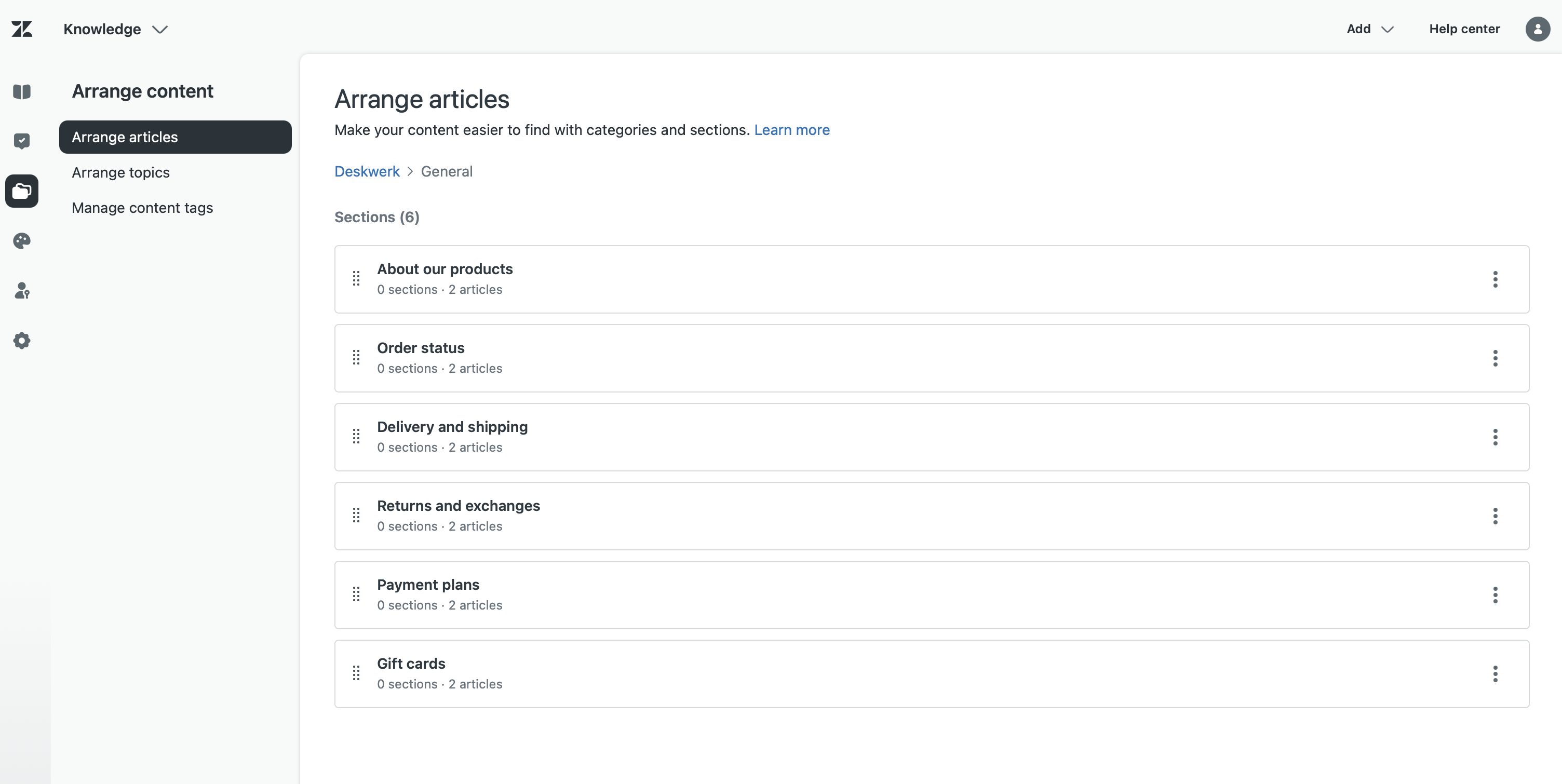
You manage the whole hierarchy on the Arrange Articles page. One simple rule beats every subtlety: structure by problem, not by org chart. Customers search for their issue, not for which department owns the answer.
Why the AI is only as good as your knowledge
Here’s where it gets operational. An AI Agent needs at least one connected, public knowledge source to form a generative answer at all. Zendesk puts it plainly: the more comprehensive your Help Center, the better. But more sources aren’t automatically better. Too many connected sources lower the retrieval quality, and sources outside Zendesk are only synced about once a day. Technically the AI reads your articles, splits them into pieces (chunks), and builds the answer out of the best-fitting bits. That’s RAG. Four things follow directly from this mechanism:
- One article, one question. Each article should answer exactly one customer question. Catch-all articles with five topics get torn apart during chunking, and the AI grabs the wrong piece.
- The title is the question. Phrase the title the way a customer types the question, not as an internal keyword. The title carries the most weight in retrieval. If it matches the real question, the AI lands on the right article.
- Repeat the question in the body text. If the question sits only in the title, chunking can separate it from the answer. Restate the core point right next to the steps, so question and solution stay together.
- No duplicates, no contradictions. Two articles that answer the same thing differently: the AI can’t decide and just picks one. An out-of-date article is worse than none: it answers confidently and wrong.
And across all of it: short and coherent beats long and complete. The model works best with clean, dense text, not with the novel where the answer hides on page three.
Besides quality, visibility decides which knowledge counts at all. For anonymous customers, the AI forms its answer only from public articles. Only once someone is signed in do they also get the restricted articles released for their segment. For Switzerland, that’s your first data-protection boundary: anything in a public article can surface in an anonymous AI answer. Content with personal data or an internal angle therefore belongs in restricted articles. That way the visibility level helps with the data minimization the revised Data Protection Act (revDSG) requires.
How to write AI-readable
The individual article, too, has a form that makes reading easy or hard for the AI. Six rules make the difference:
- Numbered steps instead of a wall of text. A how-to belongs in a numbered list, without deeply nested substeps. Those lose their order during chunking.
- No complex tables. The AI reads a table layout poorly. What matters belongs in sentences or a simple list.
- Images carry text. The AI doesn’t see the image, only the text around it. Give every screenshot alt text and a caption, and write the step out as well.
- No vague pronouns. «Click on it, then it’s done» tells the AI nothing. Name the field, the button, the setting.
- Spell out acronyms on first use. The full form once, the abbreviation after that. Otherwise the AI guesses what’s meant.
- Self-contained. The article answers the question itself instead of pointing to five others. If the answer jumps across links, the AI loses the thread.
The AI-ready checklist
Before a bot goes live, the knowledge base runs through this grid once:
- One question per article, answered directly, no catch-all.
- Title phrased as a real customer question, not as an internal keyword.
- Question/keyword in the body text, not only in the title.
- Customer language at the top of the article: the words people actually type, not the internal jargon.
- AI-readable form: numbered steps, no complex tables, images with alt text, acronyms spelled out.
- Duplicates merged, out-of-date content deleted.
- Public source connected: for anonymous answers, only public articles count. Restricted ones apply only once the customer is signed in and has access to the segment.
- Structure by problem, not by department.
The knowledge base is the unglamorous part, and it’s what decides whether the AI later answers usefully or misses. The same base pays off threefold: it feeds the generative search in the Help Center, the AI Agent in chat, and the Copilot that suggests answers to your agents. One audit, three channels better. Only once the foundation is in place is the next question worth asking: which AI Agent type belongs on top. That’s a decision of its own; the guide to making it is in this blueprint.